D3DPRESENT_PARAMETERS 參數說明

struct D3DPRESENT_PARAMETERS{
    UINT BackBufferWidth;
    UINT BackBufferHeight;
    D3DFORMAT BackBufferFormat;
    UINT BackBufferCount;
    D3DMULTISAMPLE_TYPE MultiSampleType;
    DWORD MultiSampleQuality;
    D3DSWAPEFFECT SwapEffect;
    HWND hDeviceWindow;
    BOOL Windowed;
    BOOL EnableAutoDepthStencil;
    D3DFORMAT AutoDepthStencilFormat;
    DWORD Flags;
    UINT FullScreen_RefreshRateInHz;
    UINT PresentationInterval;
};
BackBufferWidth和BackBufferHeight:

createps 發表在 痞客邦 留言(0) 人氣()

使用下面的函數加載存儲在.x文件中的Mesh數據。它創建一個ID3DXMesh對象,然後從.x文件中讀取Mesh的幾何信息。
HRESULT WINAPI
D3DXLoadMeshFromX(
LPCTSTR pFilename,
DWORD Options,
LPDIRECT3DDEVICE9 pD3DDevice,
LPD3DXBUFFER *ppAdjacency,
LPD3DXBUFFER *ppMaterials,
LPD3DXBUFFER *ppEffectInstances,
DWORD *pNumMaterials,
LPD3DXMESH *ppMesh
);
pFileName –.x文件的文件名
Options –創建Mesh的標誌。詳情可參考SDK文檔中的D3DXMESH枚舉類型。常用的幾個標誌如下:
D3DXMESH_32BIT –使用32位的頂點索引,默認為16位
D3DXMESH_MANAGED –使用受控的內存緩衝池
D3DXMESH_WRITEONLY –緩衝區只可執行寫操作
D3DXMESH_DYNAMIC –使用動態內存緩衝池
pD3DDevice –D3D設備指針
ppAdjacency –使用ID3DXBuffer返回Mesh的鄰接信息,這是一個DWORD數組
ppMaterials –使用ID3DXBuffer返回Mesh的材質數據,這是一個D3DXMATERIAL類型數組
ppEffectInstances –使用ID3DXBuffer返回一個D3DXEFFECTINSTANCE結構數組
pNumMaterials –返回Mesh對象的材質數量,也就是通過ppMaterials返回的D3DXMATERIAL數組的元素數
ppMesh –返回ID3DXMesh對象

createps 發表在 痞客邦 留言(0) 人氣()

image001.jpg
Chapter 5: 3D Primitives and Vertex Buffers

When we want Direct3D to render a 3D object for us, we start off by defining that object as a collection of vertices. We then give the object a more solid feel by connecting the vertices together with line segments. 
The vertices define the model in 3D space and the line segments define the object's outer skin or surface by joining the vertices together in groups.
當我們想的Direct3D渲染3D對象對我們來說,我們開始定義的對象作為一個集合的頂點。然後,我們給對象更加堅實的感覺通過連接頂點與線段。
頂點定義模型在三維空間中的線段定義對象的外表面由皮膚或加入頂點一起群體。

createps 發表在 痞客邦 留言(1) 人氣()


Direct3D基礎-燈光 D3DLIGHT9 
在D3D中有3種類型的燈光,用它們可以讓3D世界顯得真實 。
一、燈光類型
1、點光(Point Light)
  從一個點向周圍均勻發射的光,有最大的照明範圍,亮度隨距離衰減,最明顯的一個例子就是我們家裡用的燈泡。
2、方向光(Directional Light)
  方向光是一組沒有衰減的平行光,類似太陽光的效果。 
3、聚光燈(Spot Light)
  最複雜的一種燈,有光源點位置、有方向、有範圍、有發光的內徑和外徑,光照強度還會隨距離衰減。類似的例子是電筒。
二、燈光結構
D3D中燈光通過D3DLIGHT9結構來表示:
typedef struct D3DLIGHT9 {
    D3DLIGHTTYPE Type;
    D3DCOLORVALUE Diffuse;
    D3DCOLORVALUE Specular;
    D3DCOLORVALUE Ambient;
    D3DVECTOR Position;
    D3DVECTOR Direction;
    float Range;
    float Falloff;
    float Attenuation0;
    float Attenuation1;
    float Attenuation2;
    float Theta;
    float Phi;
} D3DLIGHT9, *LPD3DLIGHT;
Type-燈光類型,共3種:D3DLIGHT_POINT、D3DLIGHT_SPOT、D3DLIGHT_DIRECTIONAL。
Diffuse-光源發出的漫反射光顏色。
Specular-光源發出的鏡面光顏色。
Ambient-光源發出的環境光顏色。
Position-用向量表示的光源世界坐標位置(對方向光無效)。
Direction-用向量表示的光源世界坐標照射方向(對點光源無效)。
Range-燈光能夠傳播的最大範圍(對方向光無效),該值不能應小於。
Falloff-燈光從內圓錐到外圓錐之間的強度衰減(僅對聚光燈有效),該值通常設為1.0f。
Attenuation0、Attenuation1、Attenuation2-燈光衰減變量,用來定義燈光強度的傳播距離衰減(對方向光無效)。
Attenuation0定義恆定衰減,
Attenuation1定義線性衰減,
Attenuation2定義二次衰減。
Attenuation0通常為0.0f,
Attenuation1通常為1.0f,
Attenuation2通常為0.0f。
適當的使用如下公式,D代表到光源的距離,A0、A1、A2分別與Attenuation0、Attenuation1、Attenuation2相匹配。
Theta-指定燈光內圓錐的角度(僅對聚光燈有效),單位是弧度。
Phi-指定外圓錐的角度(僅對聚光燈有效),單位是弧度。
三、燈光的設置
燈光的屬性設置好後,需要把這個燈光加入到場景中:
// 要讓渲染的時候燈光起作用,運行這條命令
g_pd3dDevice->SetRenderState( D3DRS_LIGHTING, TRUE );
// 設置0號燈為我們設置的燈
g_pd3dDevice->SetLight( 0, &light );
// 打開0號燈光
g_pd3dDevice->LightEnable( 0, TRUE );
在使用燈光的時候需要注意的一點是,要為每個頂點設定法線,只有設置了法線,燈光才會起作用。什麼是法線?其實就是一個和該點所在面垂直的向量。

createps 發表在 痞客邦 留言(0) 人氣()

 
從世界坐標系到觀察坐標系的變換,該變換時攝像機變換至坐標系原點並使攝像機光軸沿著z軸正方向。
視圖坐標的變換矩陣可以通過如下的D3DX函數計算得到:
D3DXMATRIX *WINAPI D3DXMatrixLookAtLH(
    D3DXMATRIX *pOut,
    CONST D3DXVECTOR3 *pEye,
    CONST D3DXVECTOR3 *pAt,
    CONST D3DXVECTOR3 *pUp
);
*pOut  // 指向返回的視圖矩陣   
這個函數用來控制攝影機,用來控制視圖矩陣的。
pEye 攝影機位置,觀察的方向。// 照相機在世界坐標系的位置   
pAt 參數指定照相機所觀察的世界坐標系中的一個目標點,攝影機的前進和後退,向左或向右。向上或向下。
pUp 參數指定3D世界中的上方向,通常設Y軸正方向為上方向,即取值為(0,1,0)。
指針 D3DXMATRIX結構,結果該運算。
pEye [in]:
Pointer to the D3DXVECTOR3 structure that defines the eye point. This value is used in translation.
指針 D3DXVECTOR3結構,它定義了eye位置。這個值用於位移。
pAt [in]:
Pointer to the D3DXVECTOR3 structure that defines the camera look-at target.
指針 D3DXVECTOR3結構,它定義了相機注目目標。
pUp [in]
Pointer to the D3DXVECTOR3 structure that defines the current world's up, usually [0, 1, 0].
指針 D3DXVECTOR3結構,它定義了當前世界座標向上的向量,一般[0,1,0]。
Return Value
回傳值
Type: D3DXMATRIX
Pointer to a D3DXMATRIX structure that is a left-handed, look-at matrix.
指針 D3DXVECTOR3結構,它定義了左手矩陣和視圖矩陣

createps 發表在 痞客邦 留言(0) 人氣()

 
SetVertexShader專門設置可編程渲染管道的Shader程序,vs(vertex  
shader)用SetVertexShader來傳入。

createps 發表在 痞客邦 留言(0) 人氣()

bumpmap2.gif

Bump Mapping


 Bump mapping is very much like Texture Mapping. However, where Texture
Mapping added colour to a polygon, Bump Mapping adds, what appears to be surface
roughness. This can have a dramatic effect on the look of a polygonal object.
Bump Mapping can add minute detail to an object which would otherwise require a
large number of polygons. Note that the polygon is still physically flat, but
appears to a be bumpy. 

createps 發表在 痞客邦 留言(0) 人氣()

011.png
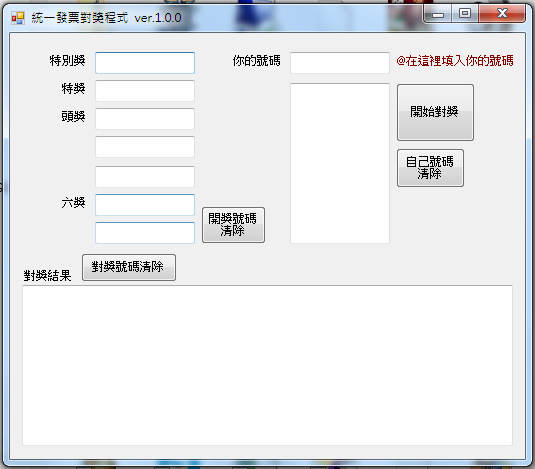
因為一個好朋友的老婆的建議,所以我馬上又寫了一個"統一發票對獎程式"。
希望大家喜歡^^
下載網址:
http://redtreeonline.com/other/fapu.exe

createps 發表在 痞客邦 留言(0) 人氣()

方法一:
this.texBox.KeyPress += new KeyPressEventHandler(HandleKeyPress);
private void HandleKeyPress(object sender, KeyPressEventArgs e)
        {
            if (!char.IsDigit(e.KeyChar) && !char.IsControl(e.KeyChar))
                e.Handled = true;
        }

createps 發表在 痞客邦 留言(0) 人氣()

physics.setGravity()
Description:
Sets the x,y components of the global gravity vector, in units of m/s2. The default is ( 0, 9.8 ) to simulate standard Earth gravity, pointing downwards on the y-axis.
設置 x,y分量的全球重力載體,單位 m/s2。默認為(0,9.8)的標準來模擬地球引力,向下在Y軸。

createps 發表在 痞客邦 留言(0) 人氣()

physics.setScale()
Description:說明:
Sets the internal pixels-per-meter ratio that is used in converting between onscreen Corona coordinates and simulated physics coordinates. This should be done only once, before any physical objects are instantiated.
設置內部像素的每米的比例,用於在屏幕上的Corona坐標之間的轉換和模擬物理坐標。這項工作應該只有一次,在任何物理對象被實例化。
Changing this value has no visual consequences, and simply affects the accuracy of the physical model. The Box2D engine is tuned for simulating medium-sized objects between 0.1m and 10m in size, so it works best when the objects in your game are mapped to physical properties that fall roughly within this range.
改變這個值沒有視覺的後果,影響了準確性和簡單的物理模型。該 Box2D的發動機調整為模擬中等大小的物體之間的0.1米和10米的大小,因此它最適合當你的遊戲中的對象映射到物理特性大致屬於這個範圍之內。
The default scaling value is 30, which means that the optimal 0.1m to 10m range corresponds to visible sprites between 3 and 300 pixels in size, which should cover most typical iPhone content. For higher-resolution devices like iPad, Android, or iPhone 4, you may wish to increase this value to 60 or more.
默認縮放值是30,這意味著最佳0.1米至10米範圍對應於可見精靈3至300像素的大小,它應該包括最典型的iPhone內容。對於高解析度設備如iPad的,Android,或iPhone4,您可能希望增加該值到60以上。

createps 發表在 痞客邦 留言(0) 人氣()

 
body.isBullet
Description:
A boolean for whether the body should be treated as a “bullet”. Bullets are subject to continuous collision detection, rather than periodic collision detection at world timesteps. This is more computationally expensive, but it prevents fast-moving objects from passing through solid barriers. The default is false.

createps 發表在 痞客邦 留言(0) 人氣()

Blog Stats
⚠️

成人內容提醒

本部落格內容僅限年滿十八歲者瀏覽。
若您未滿十八歲,請立即離開。

已滿十八歲者,亦請勿將內容提供給未成年人士。