 XNA-2D SpriteBatch.Draw的七個多載
新增XNA4.0(2011.09.17),跟3.0好像差異不大,哈~
XNA-2D SpriteBatch.Draw的七個多載
新增XNA4.0(2011.09.17),跟3.0好像差異不大,哈~
第一個多載:
public void Draw (
Texture2D texture,
Rectangle destinationRectangle,
Color color
)
Texture2D texture:載入的紋理。
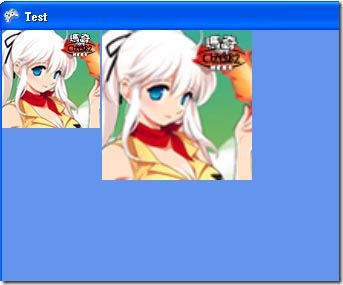
Rectangle destinationRectangle:表示要把紋理畫在視窗的某一個區域裡。
Color color:將紋像染成指定的顏色,指定為white將不會為紋理染色。
///////////////////////////////////////////////////////////////////////////////
第二個多載:
public void Draw (
Texture2D texture,
Rectangle destinationRectangle,
Nullable<Rectangle> sourceRectangle,
Color color
)
Texture2D texture:載入的紋理。
Rectangle destinationRectangle:表示要把紋理畫在視窗的某一個區域裡。
Nullable<Rectangle> sourceRectangle:決定紋理的區域。就是要畫出來的位置。
Color color:將紋像染成指定的顏色,指定為white將不會為紋理染色。
///////////////////////////////////////////////////////////////////////////////
第三個多載:
public void Draw (
Texture2D texture,
Rectangle destinationRectangle,
Nullable<Rectangle> sourceRectangle,
Color color,
float rotation,
Vector2 origin,
SpriteEffects effects,
float layerDepth
)
Texture2D texture:載入的紋理。
Rectangle destinationRectangle:表示要把紋理畫在視窗的某一個區域裡。
Nullable<Rectangle> sourceRectangle:決定紋理的區域。
Color color:將紋像染成指定的顏色,指定為white將不會為紋理染色。
float rotation:將紋理旋轉指定角度(弧度),順時針旋轉
Vector2 origin:旋轉原點座標,就是旋轉時根據某一個點來旋轉的。預設都是圖的左上角,也就是(0,0)
SpriteEffects effects:有3個列舉 None、FlipHorizontally、FlipVertically,他在這裡的功能只是相圖形左右映射和上下映射而已,可用來作鏡子貼圖。
float layerDepth:圖層深度:在SpriteSortMode為FrontToBack的情況之下數值越大會越上層。BackToFront正好是相反的
///////////////////////////////////////////////////////////////////////////////////////////////////////////
第四個多載:
public void Draw (
Texture2D texture,
Vector2 position,
Color color
)
Texture2D texture:載入的紋理。
Vector2 position:紋理的位置。
Color color:將紋像染成指定的顏色,指定為white將不會為紋理染色。
///////////////////////////////////////////////////////////////////////////////////////////////
第五個多載:動畫常用
public void Draw (
Texture2D texture,
Vector2 position,
Nullable<Rectangle> sourceRectangle,
Color color
)
Texture2D texture:載入的紋理。
Vector2 position:紋理的位置。
Nullable<Rectangle> sourceRectangle:決定紋理的區域。就是要畫出來的位置。
Color color:將紋像染成指定的顏色,指定為white將不會為紋理染色。
///////////////////////////////////////////////////////////////////////////////////////////////
第六個多載:
public void Draw (
Texture2D texture,
Vector2 position,
Nullable<Rectangle> sourceRectangle,
Color color,
float rotation,
Vector2 origin,
float scale,
SpriteEffects effects,
float layerDepth
)
Texture2D texture:載入的紋理。
Vector2 position:紋理的位置。
Nullable<Rectangle> sourceRectangle:決定紋理的區域。就是要畫出來的位置。
Color color:將紋像染成指定的顏色,指定為white將不會為紋理染色。
float rotation:將紋理旋轉指定角度(弧度),順時針旋轉
Vector2 origin:旋轉原點座標,就是旋轉時根據某一個點來旋轉的。預設都是圖的左上角,也就是(0,0)
float scale:縮放,比例縮放
SpriteEffects effects:有3個列舉 None、FlipHorizontally、FlipVertically,他在這裡的功能只是相圖形左右映射和上下映射而已,可用來作鏡子貼圖。
float layerDepth:圖層深度:在SpriteSortMode為FrontToBack的情況之下數值越大會越上層。BackToFront正好是相反的
///////////////////////////////////////////////////////////////////////////////////////////////
第七個多載:
public void Draw (
Texture2D texture,
Vector2 position,
Nullable<Rectangle> sourceRectangle,
Color color,
float rotation,
Vector2 origin,
Vector2 scale,
SpriteEffects effects,
float layerDepth
)
Texture2D texture:載入的紋理。
Vector2 position:紋理的位置。
Nullable<Rectangle> sourceRectangle:決定紋理的區域。就是要畫出來的位置。
Color color:將紋像染成指定的顏色,指定為white將不會為紋理染色。
float rotation:將紋理旋轉指定角度(弧度),順時針旋轉
Vector2 origin:旋轉原點座標,就是旋轉時根據某一個點來旋轉的。預設都是圖的左上角,也就是(0,0)
Vector2 scale:縮放,用來作不同比例的縮放。
SpriteEffects effects:有3個列舉 None、FlipHorizontally、FlipVertically,他在這裡的功能只是相圖形左右映射和上下映射而已,可用來作鏡子貼圖。
float layerDepth:圖層深度:在SpriteSortMode為FrontToBack的情況之下數值越大會越上層。BackToFront正好是相反的
